01
Framing the challenge
Understanding the context and all the information around the challenge
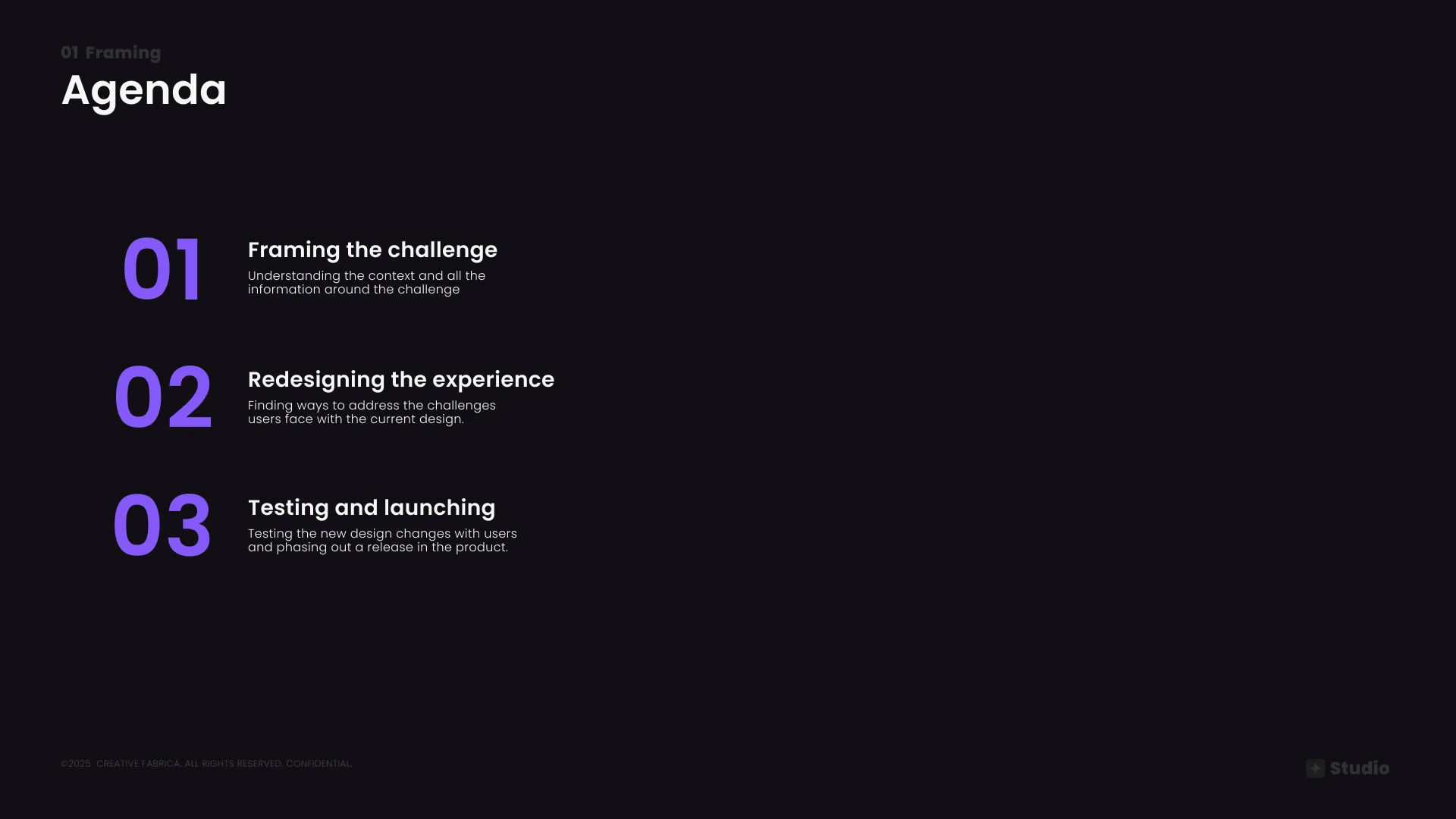
Project agenda — Framing, Redesigning, and Testing & Launch
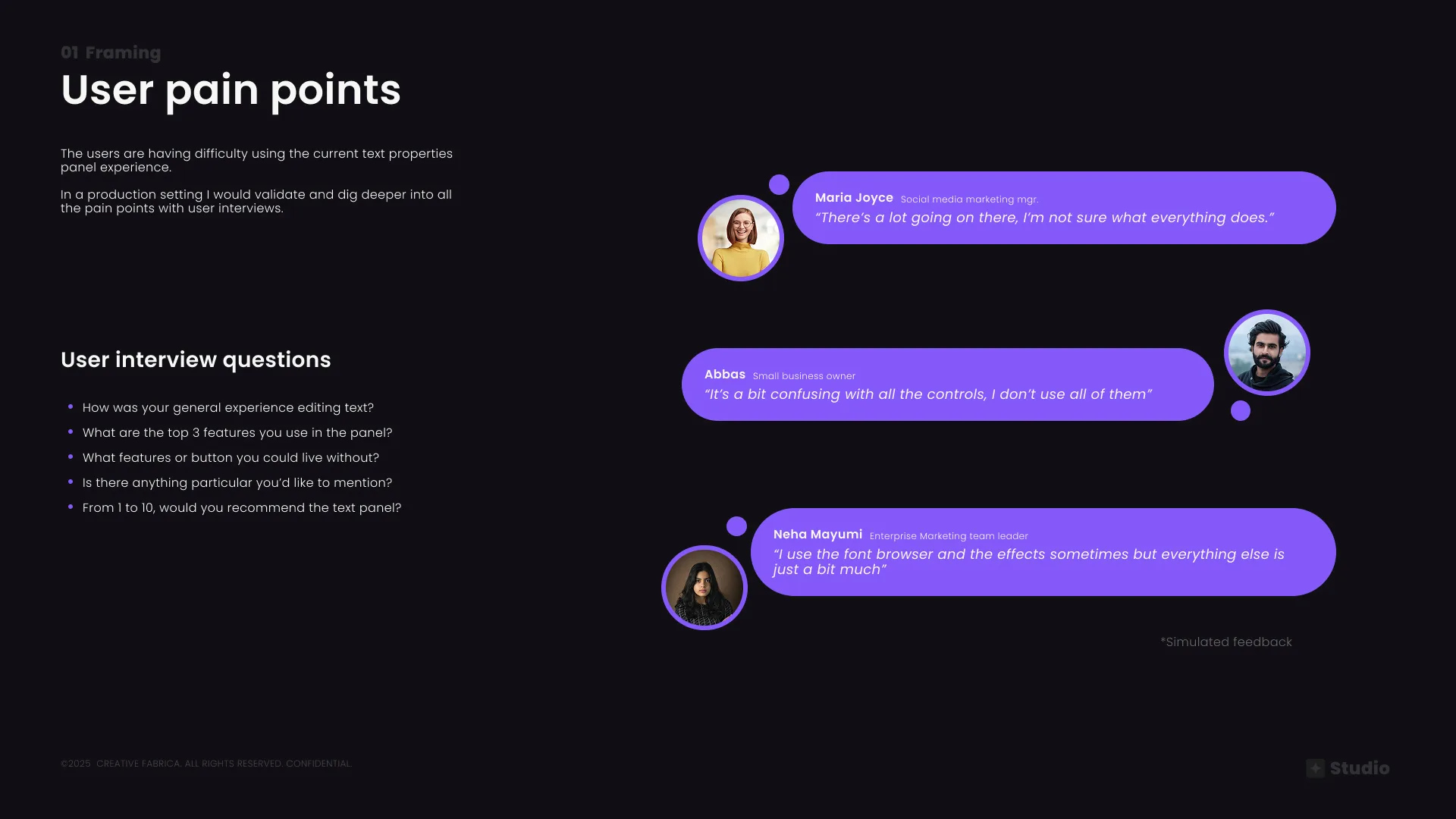
User pain points — interview methodology and simulated user feedback across personas
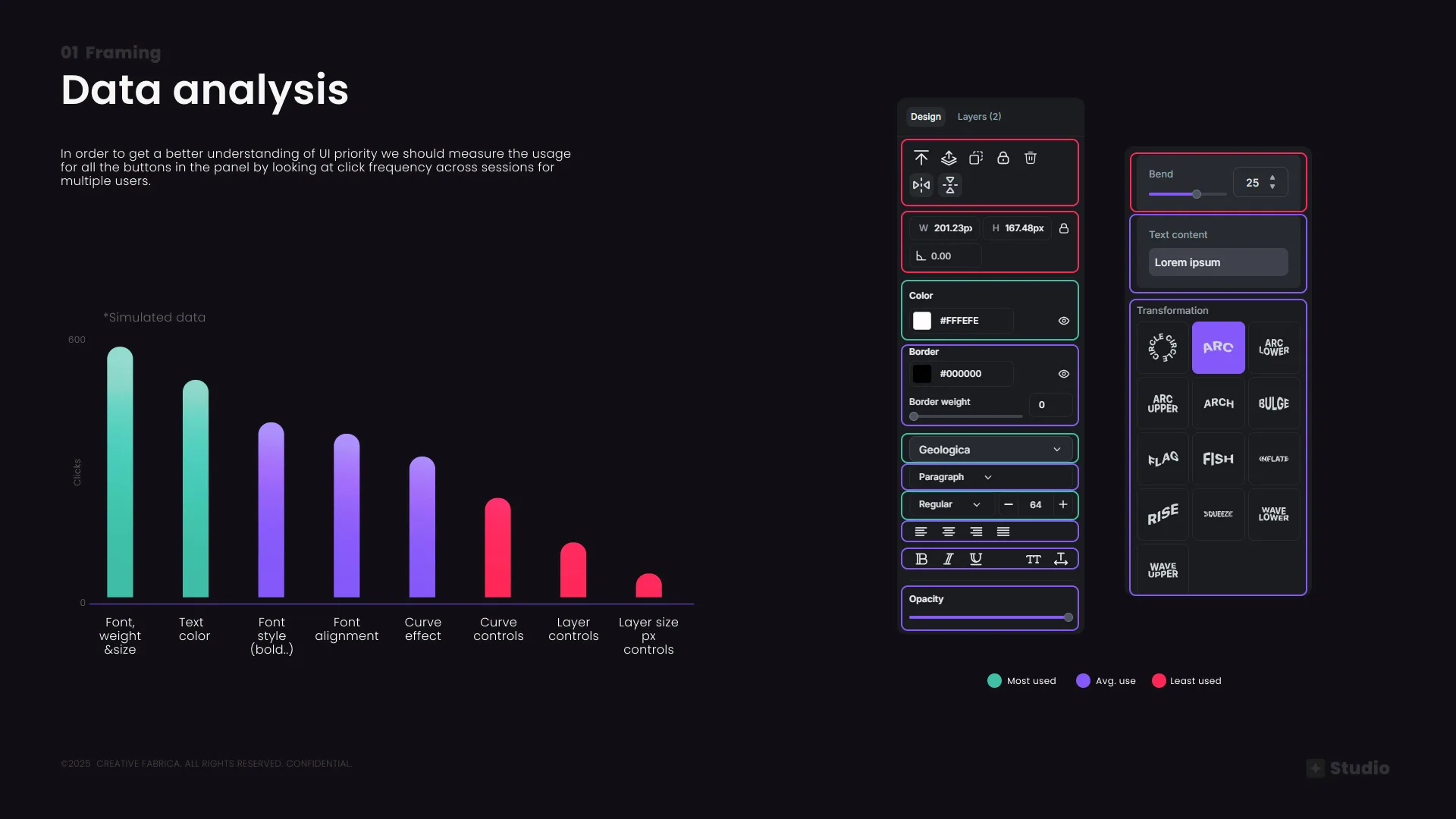
Data analysis — click frequency across panel features to establish UI priority. Font, weight & size were most used; layer controls least.
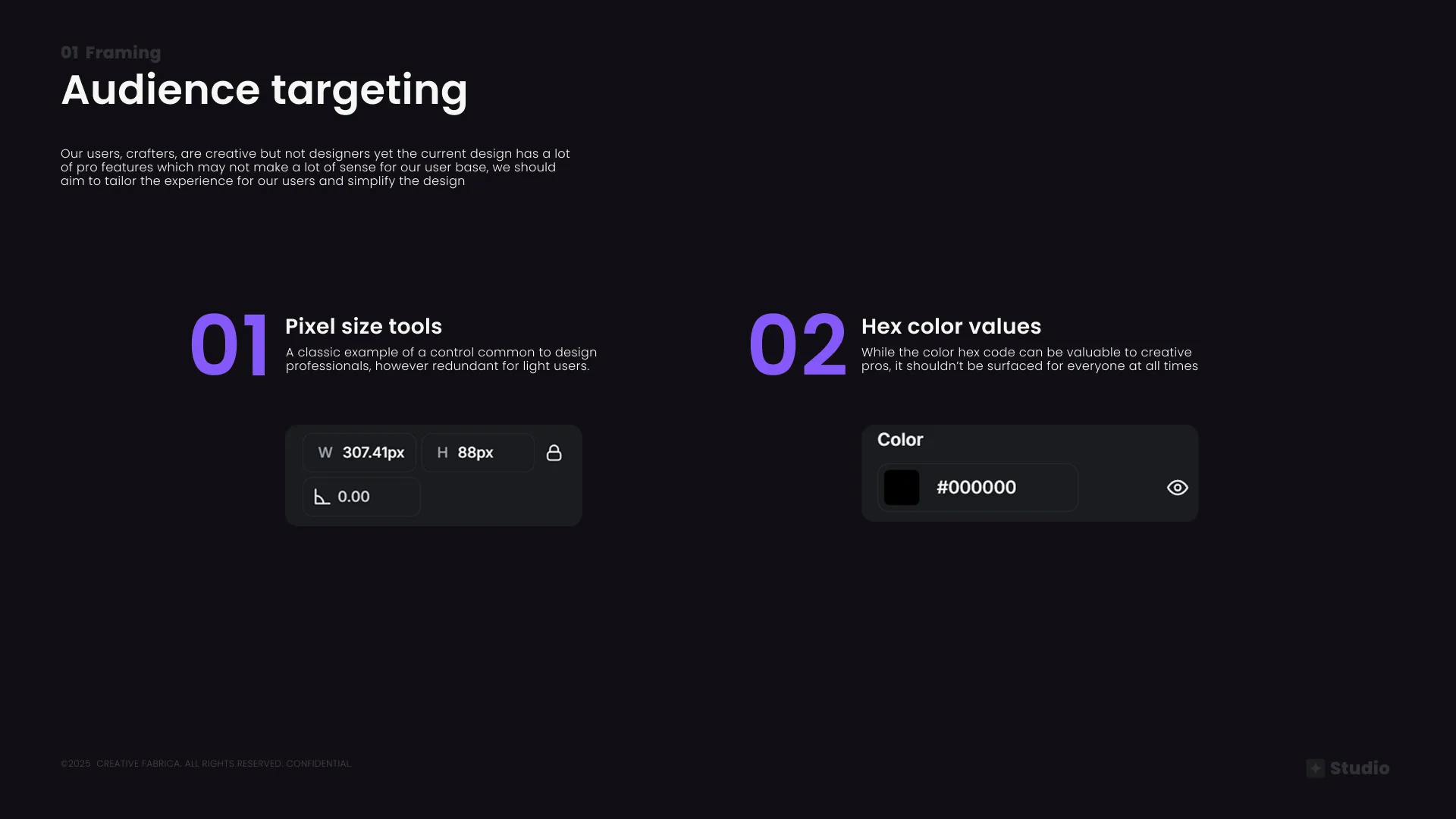
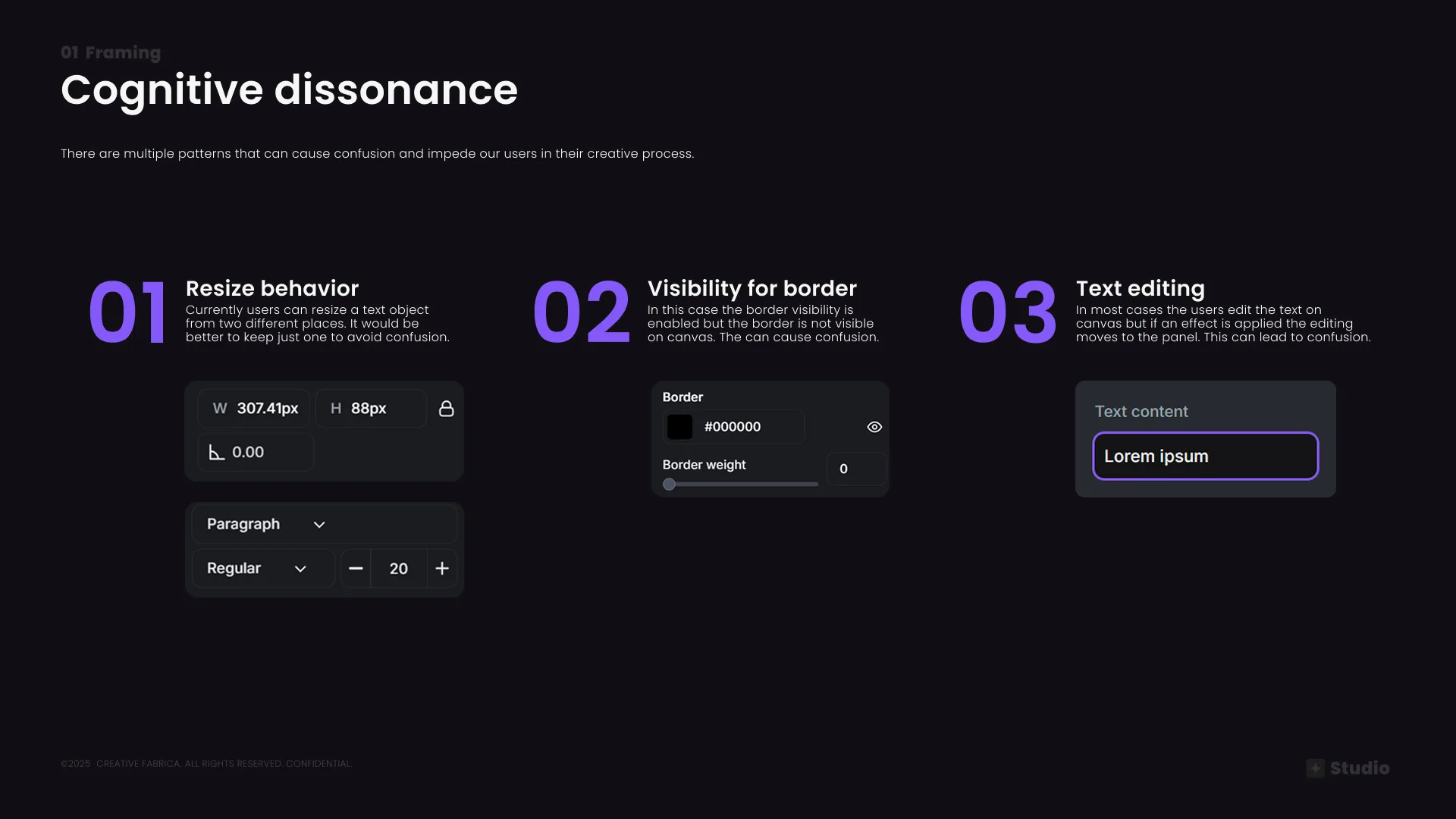
Audience targeting — crafters vs. pros; and cognitive dissonance patterns identified in the existing UI
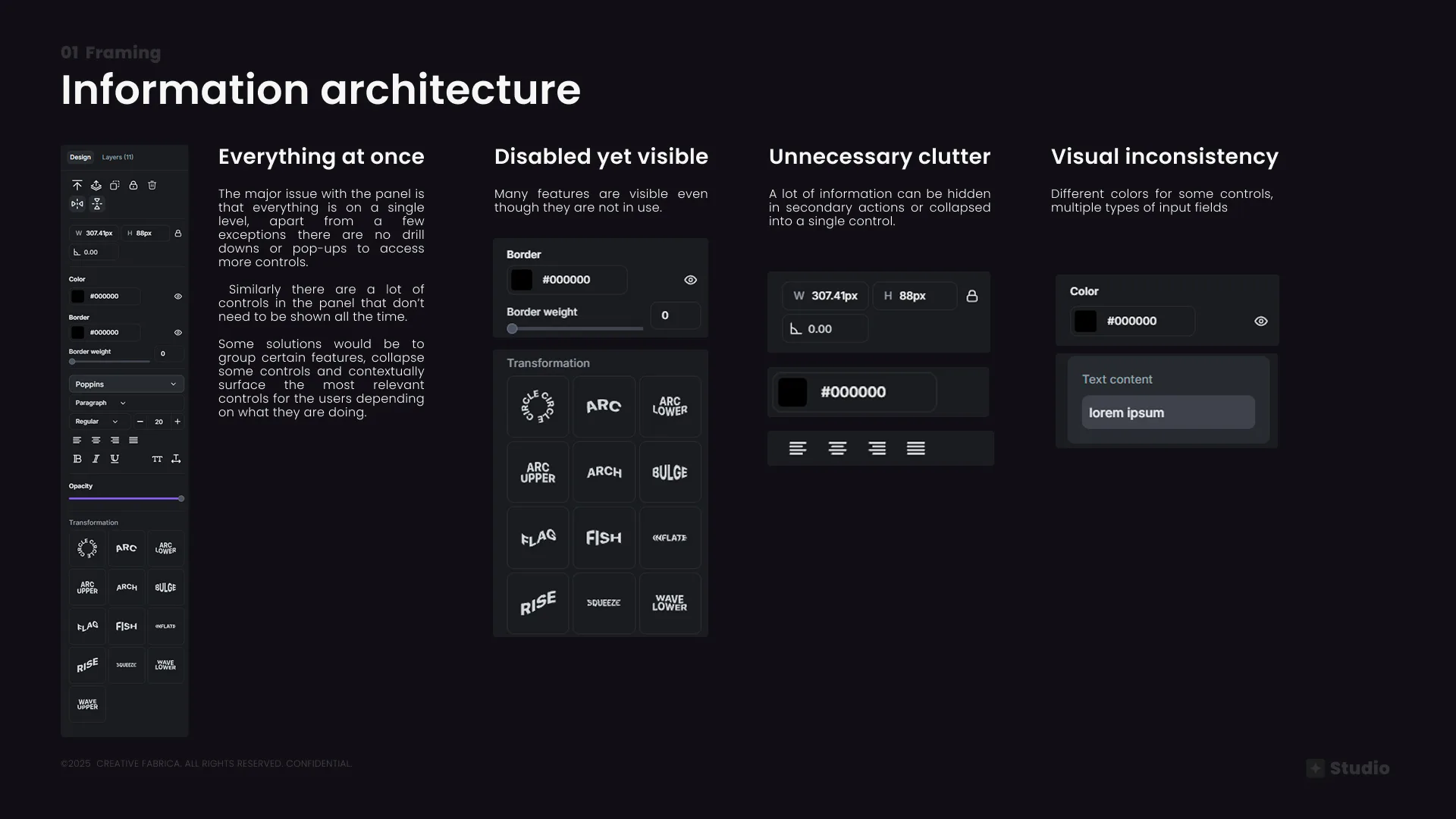
Information architecture audit — everything visible at once, disabled-yet-present controls, unnecessary clutter, and visual inconsistency
02
Redesigning the experience
Finding ways to address the challenges users face with the current design
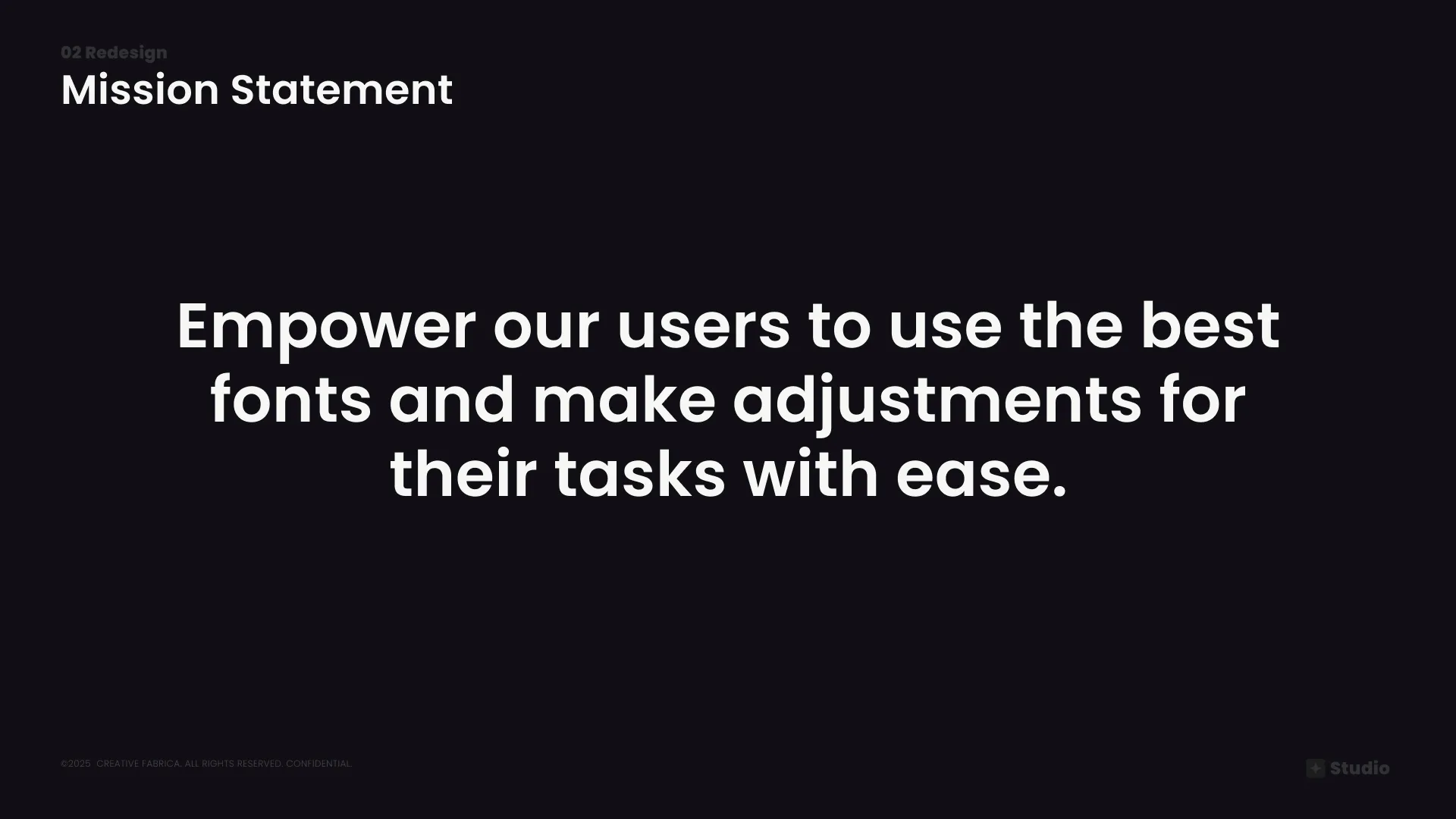
Mission statement — the north star guiding every design decision in the redesign
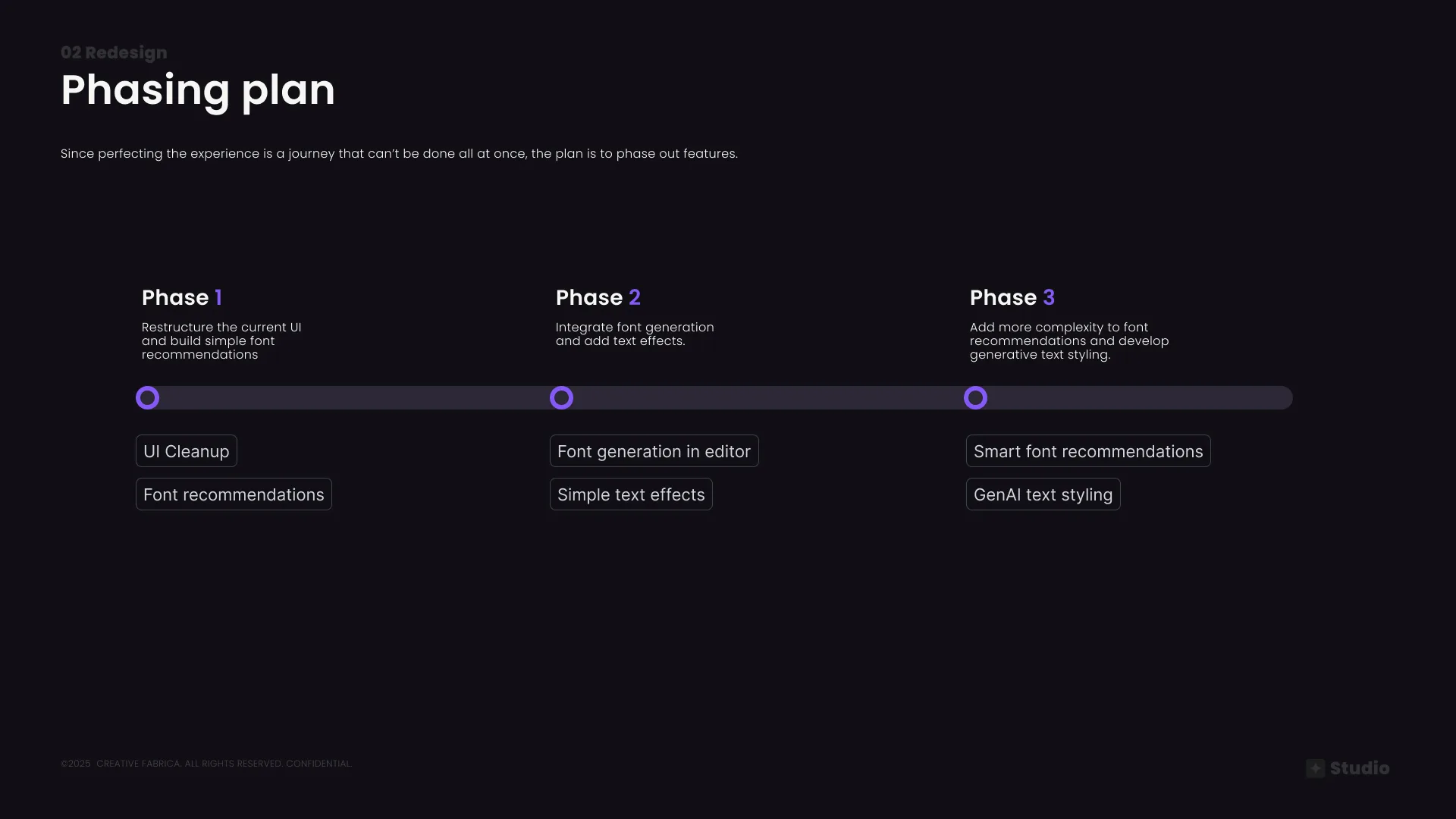
Phasing plan — Phase 1: UI cleanup & font recommendations · Phase 2: Font generation & text effects · Phase 3: Smart recs & GenAI styling
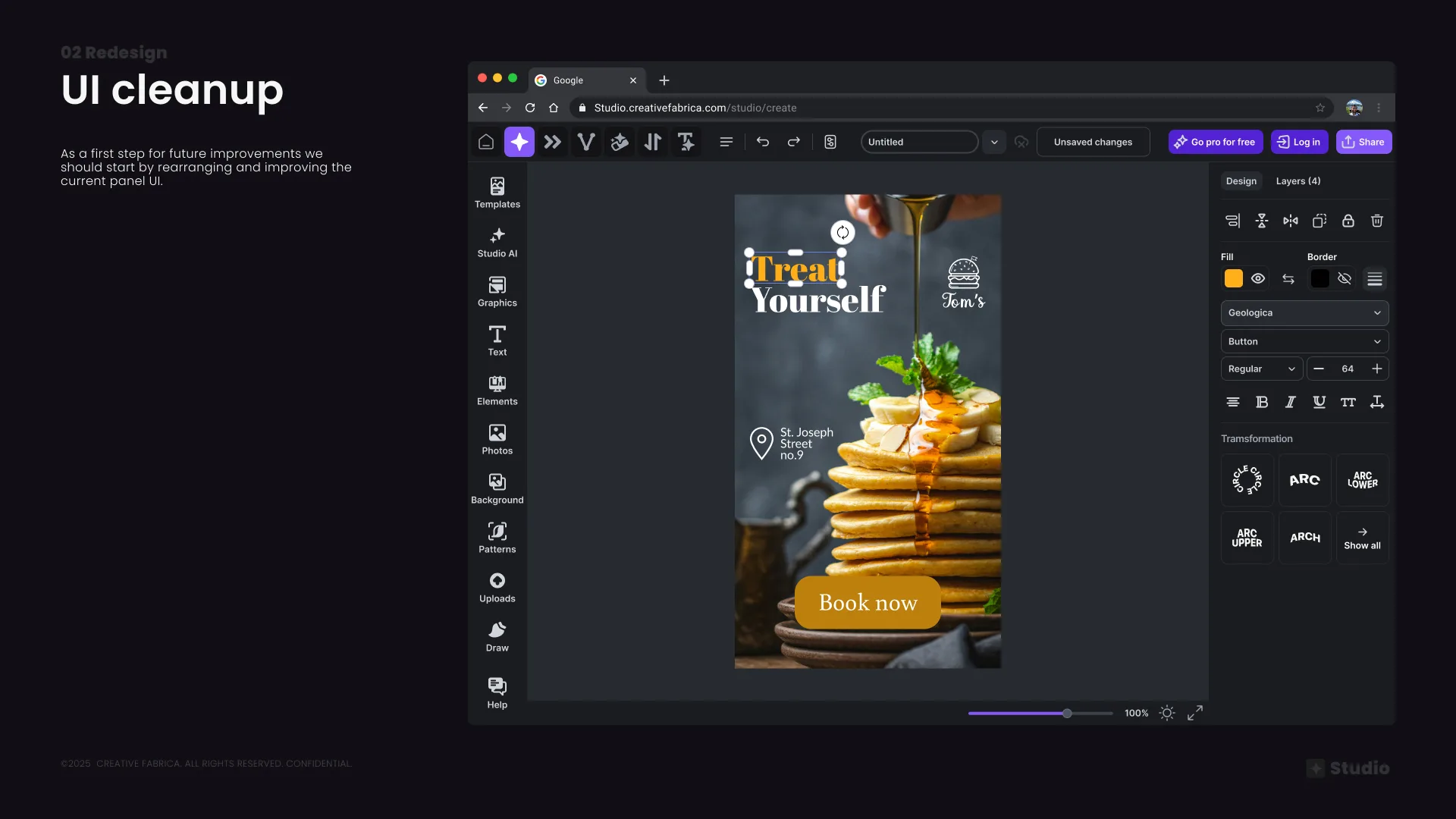
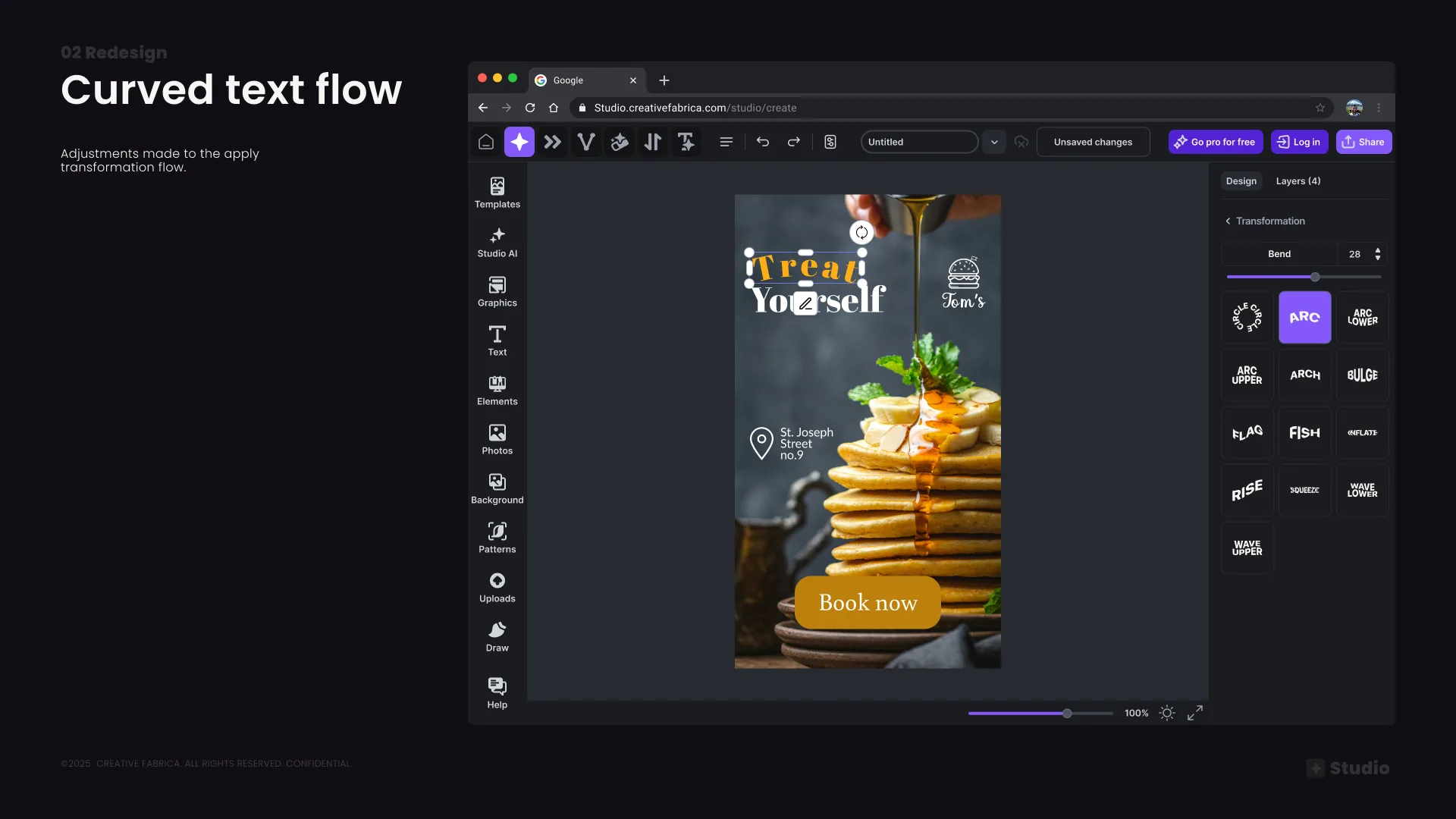
UI cleanup — rearranging and simplifying the current panel; Curved text flow — improved transformation panel experience
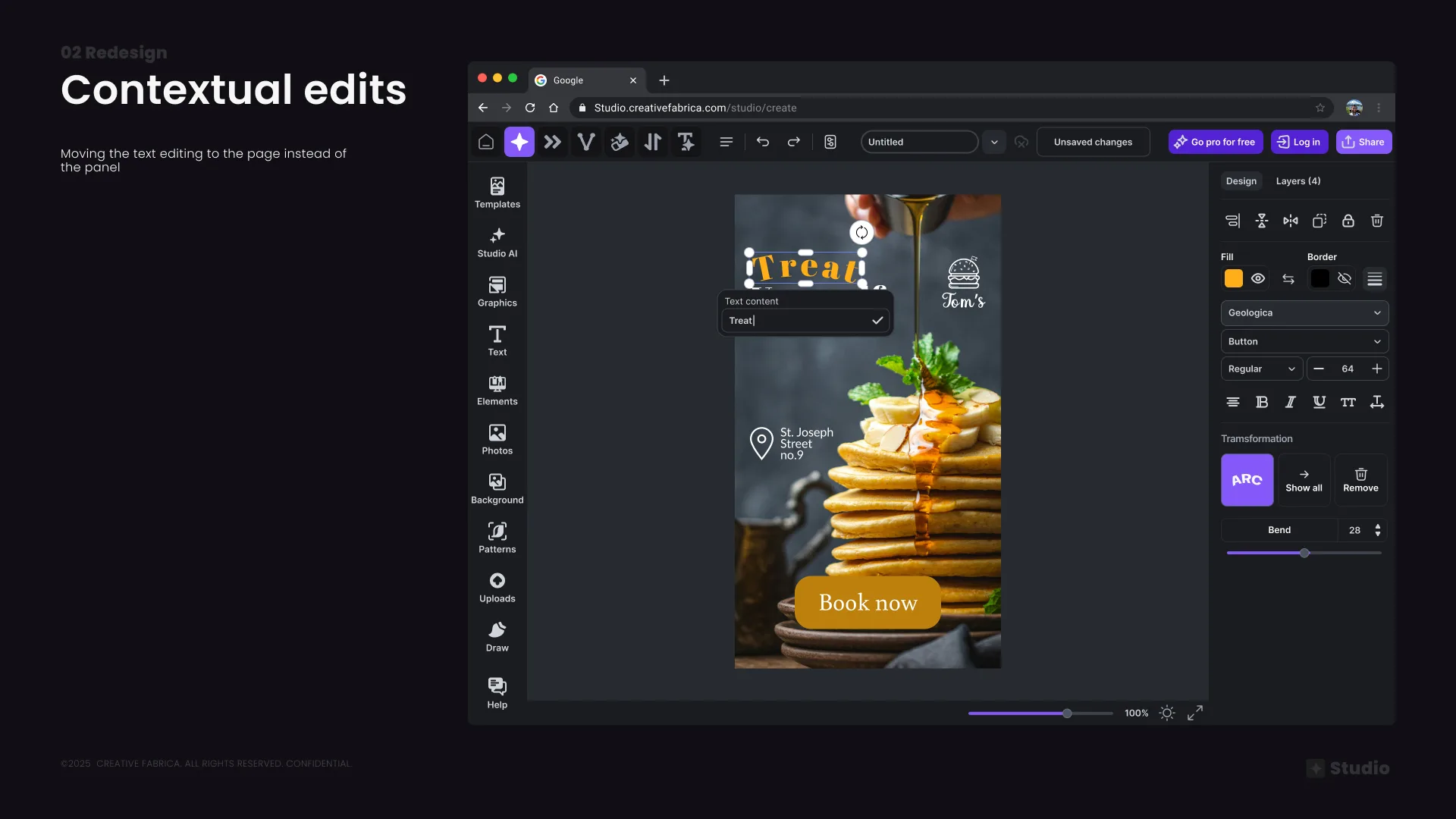
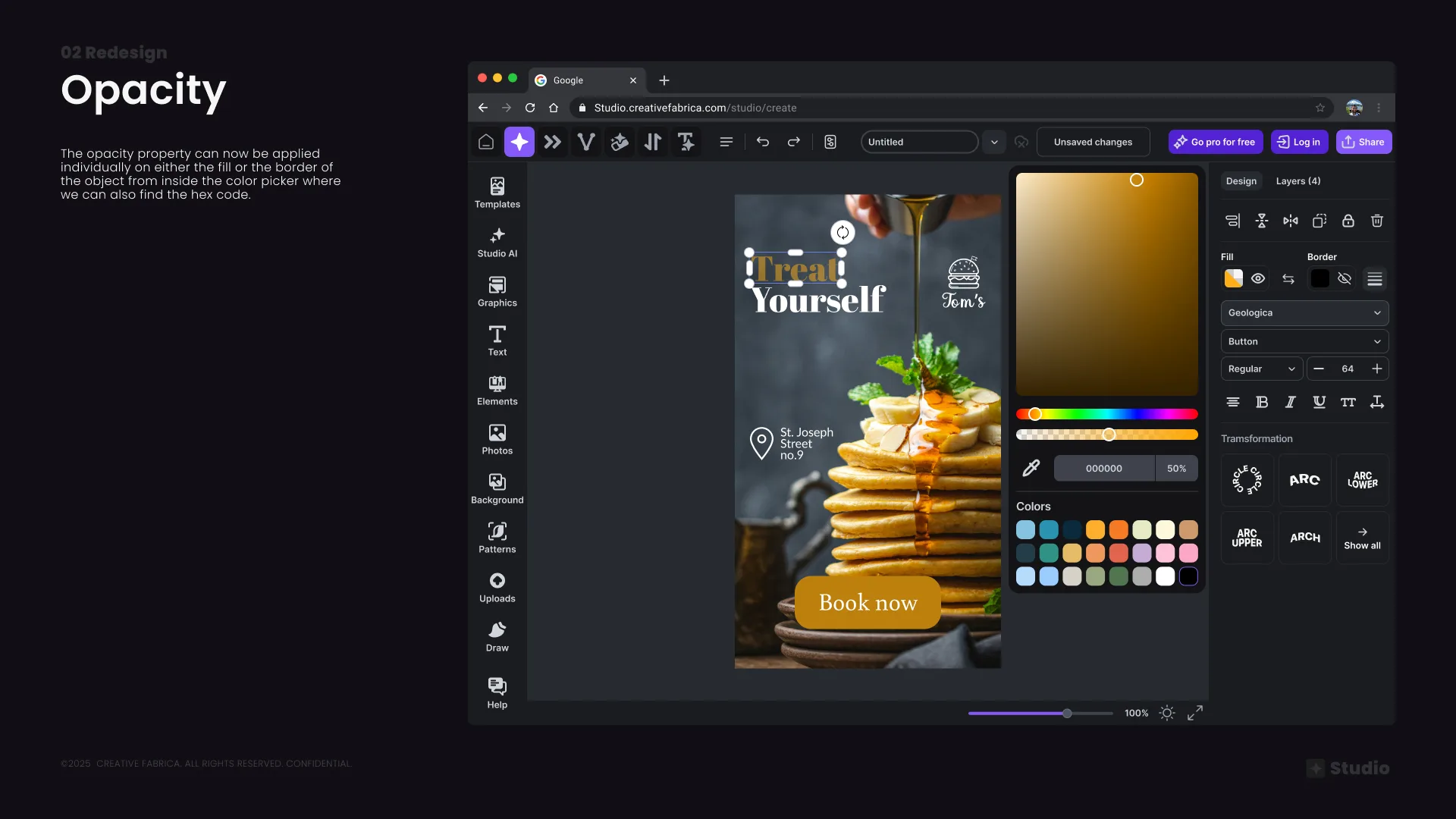
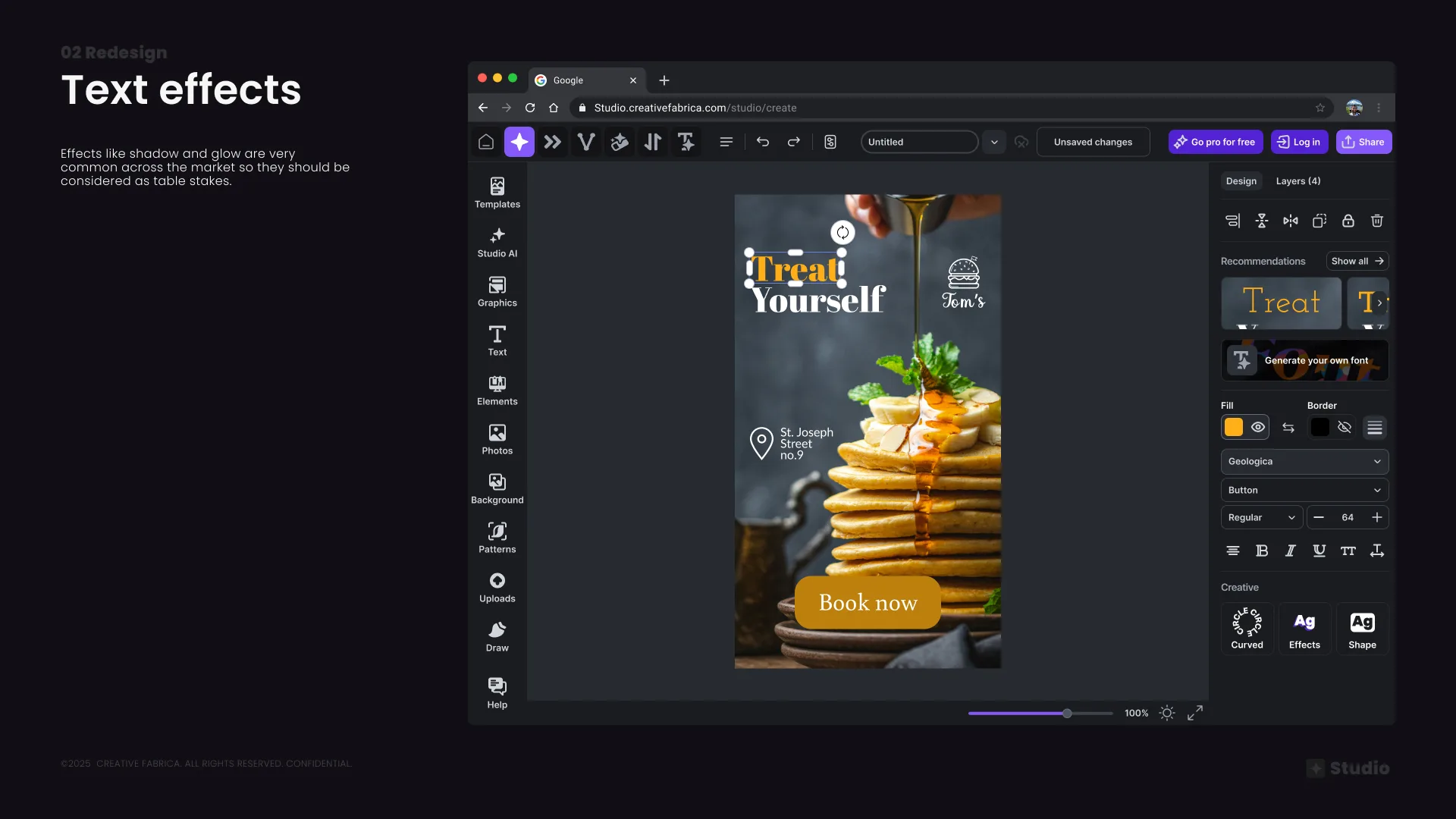
Contextual edits — text editing moved to canvas for less confusion; Opacity — consolidated into the color picker alongside the hex value
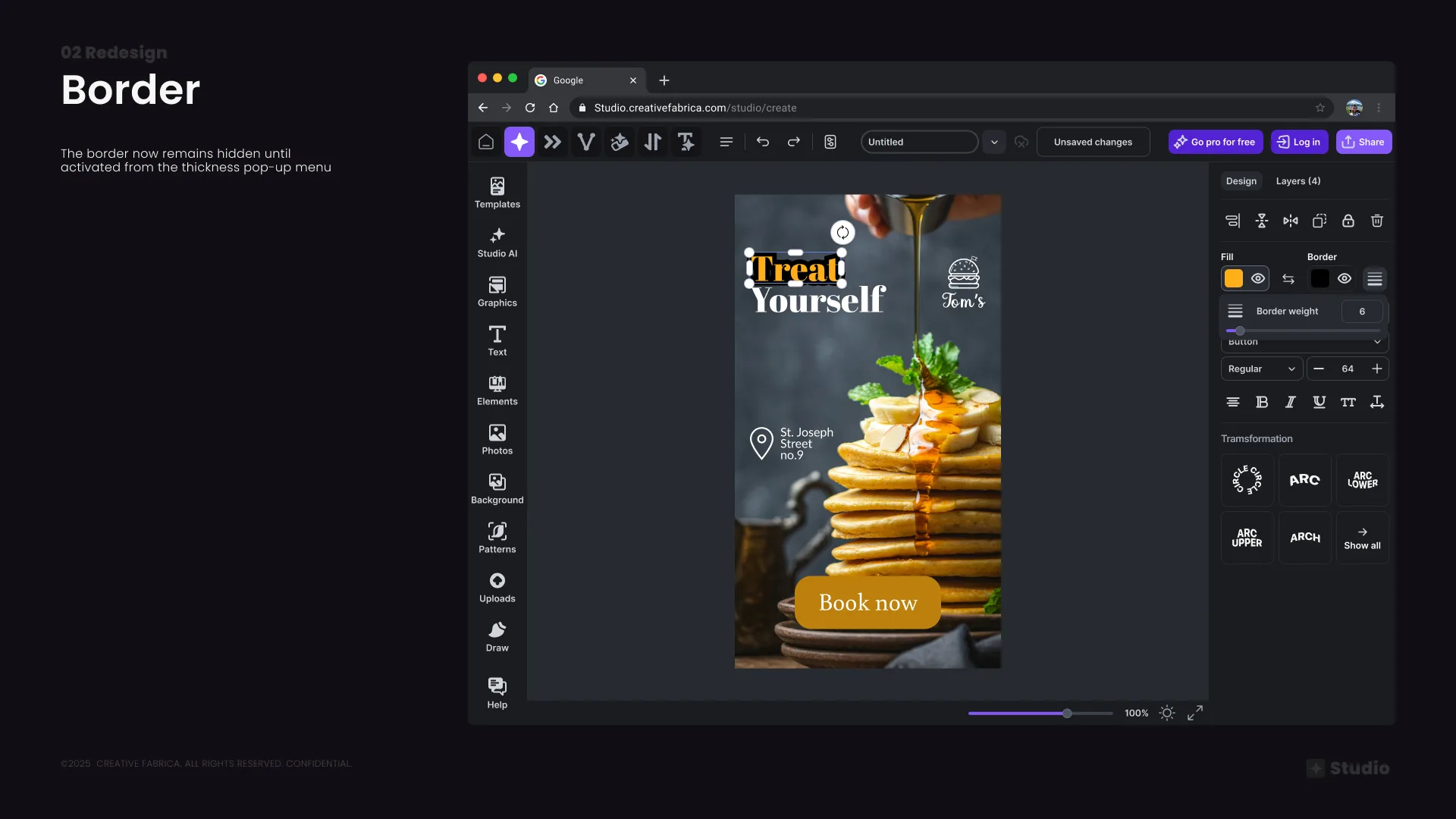
Border — now hidden by default and revealed only when activated from the thickness pop-up, reducing visual noise
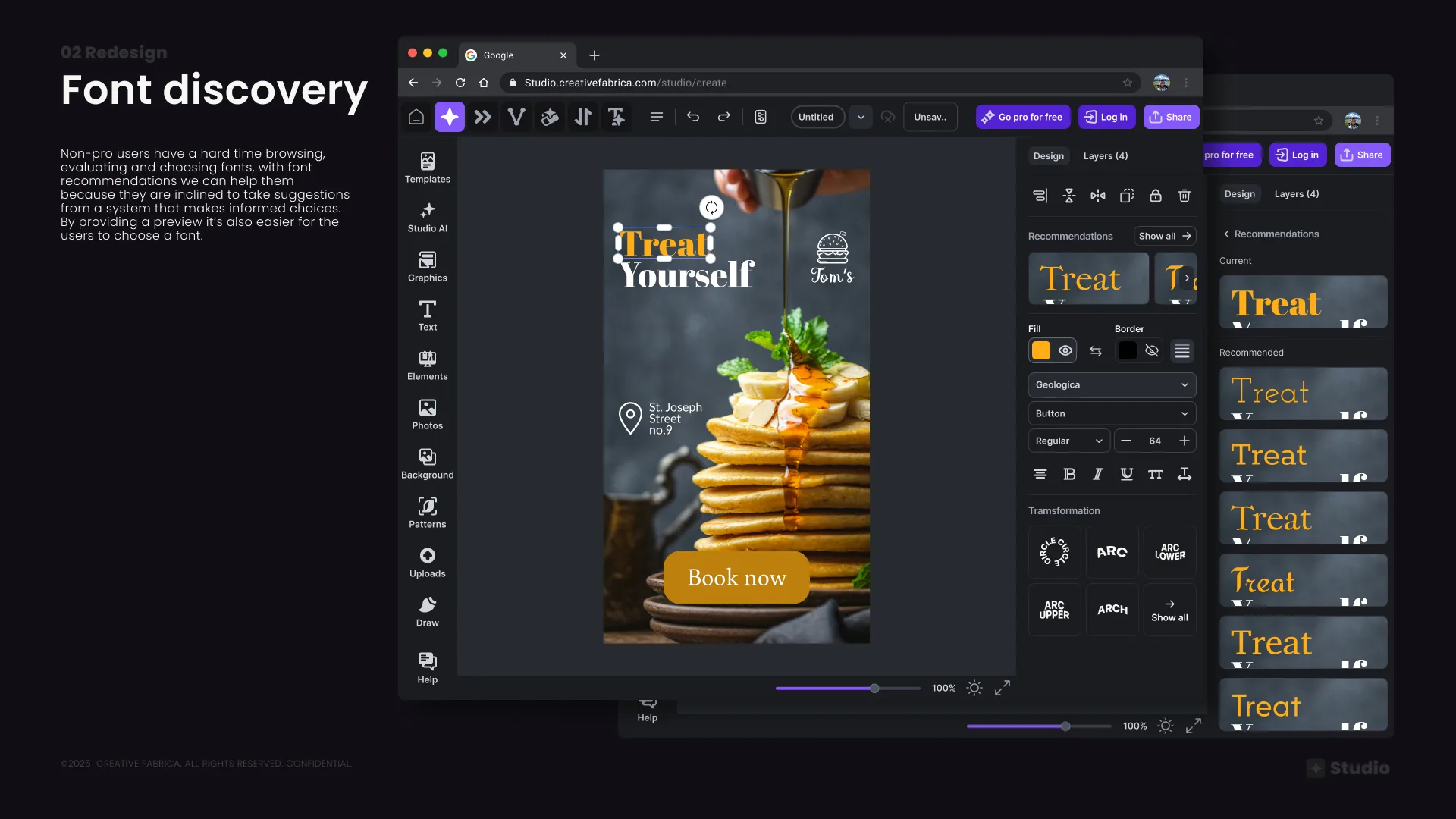
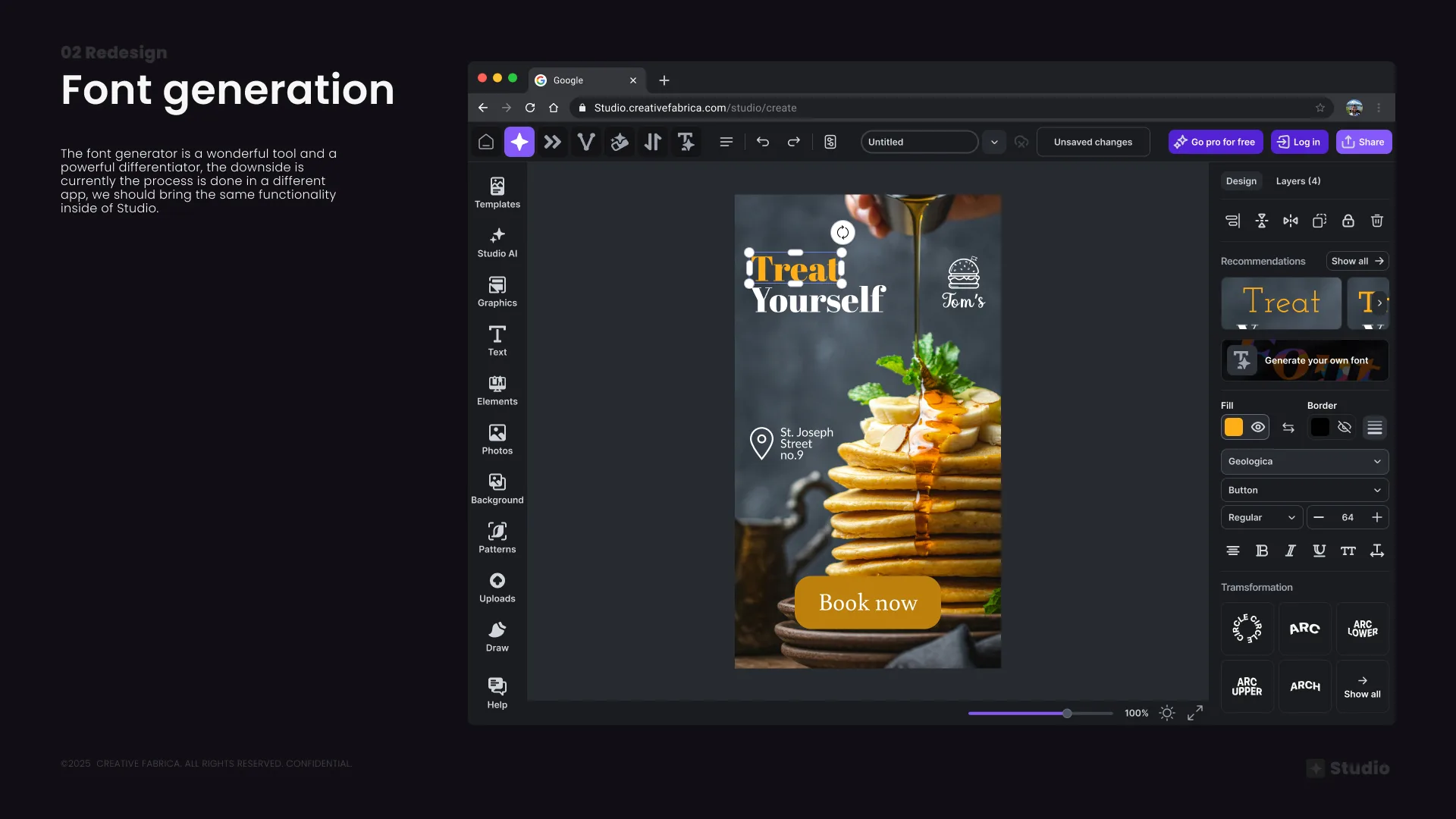
Font discovery — AI-powered recommendations shown in-context with live previews using the user's actual text, making font selection intuitive for non-designers
Font generation — brought inside Studio directly from the panel, removing the need to switch apps
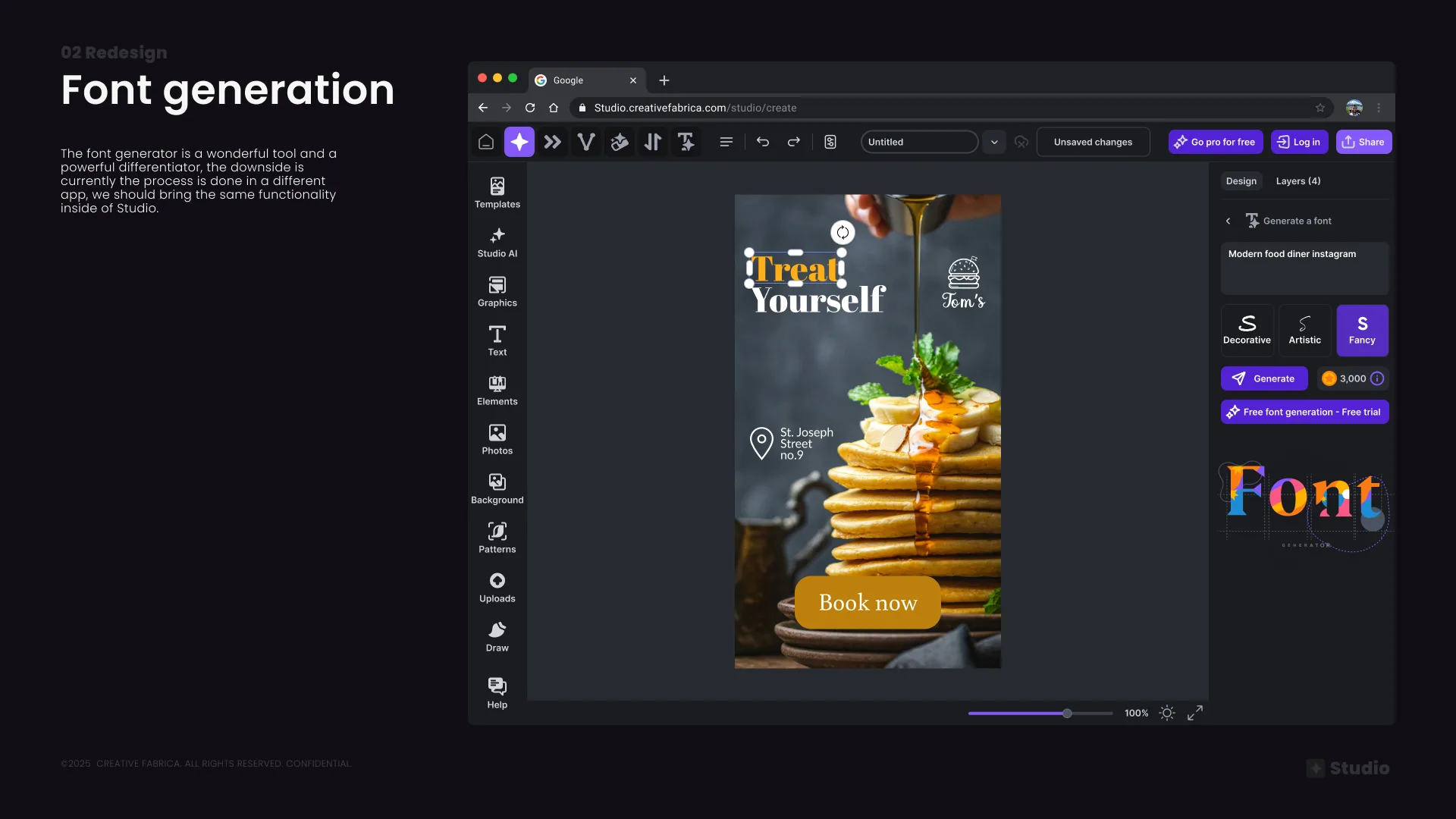
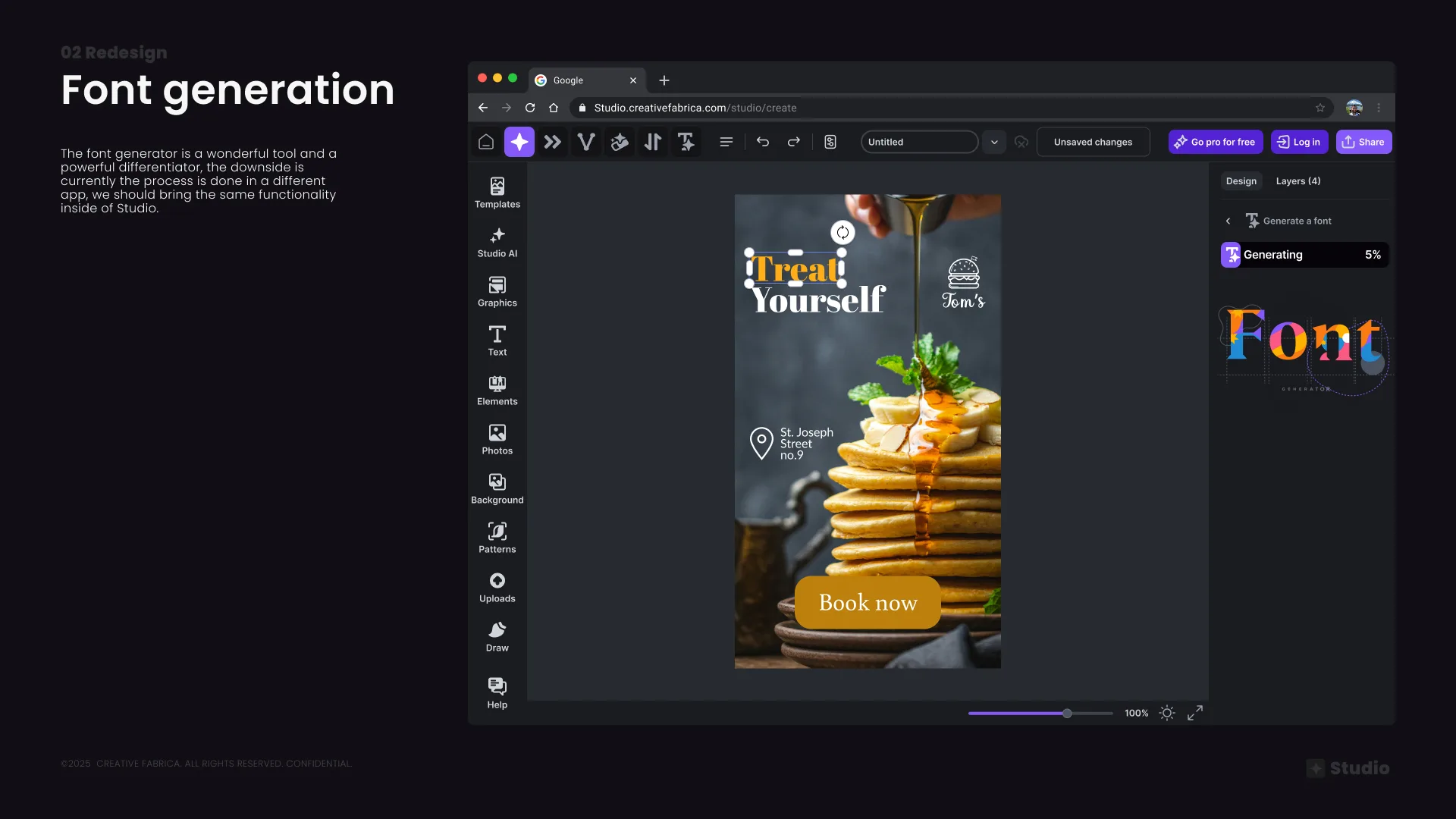
Font generation — prompt input with style selection; generation loading state with progress feedback
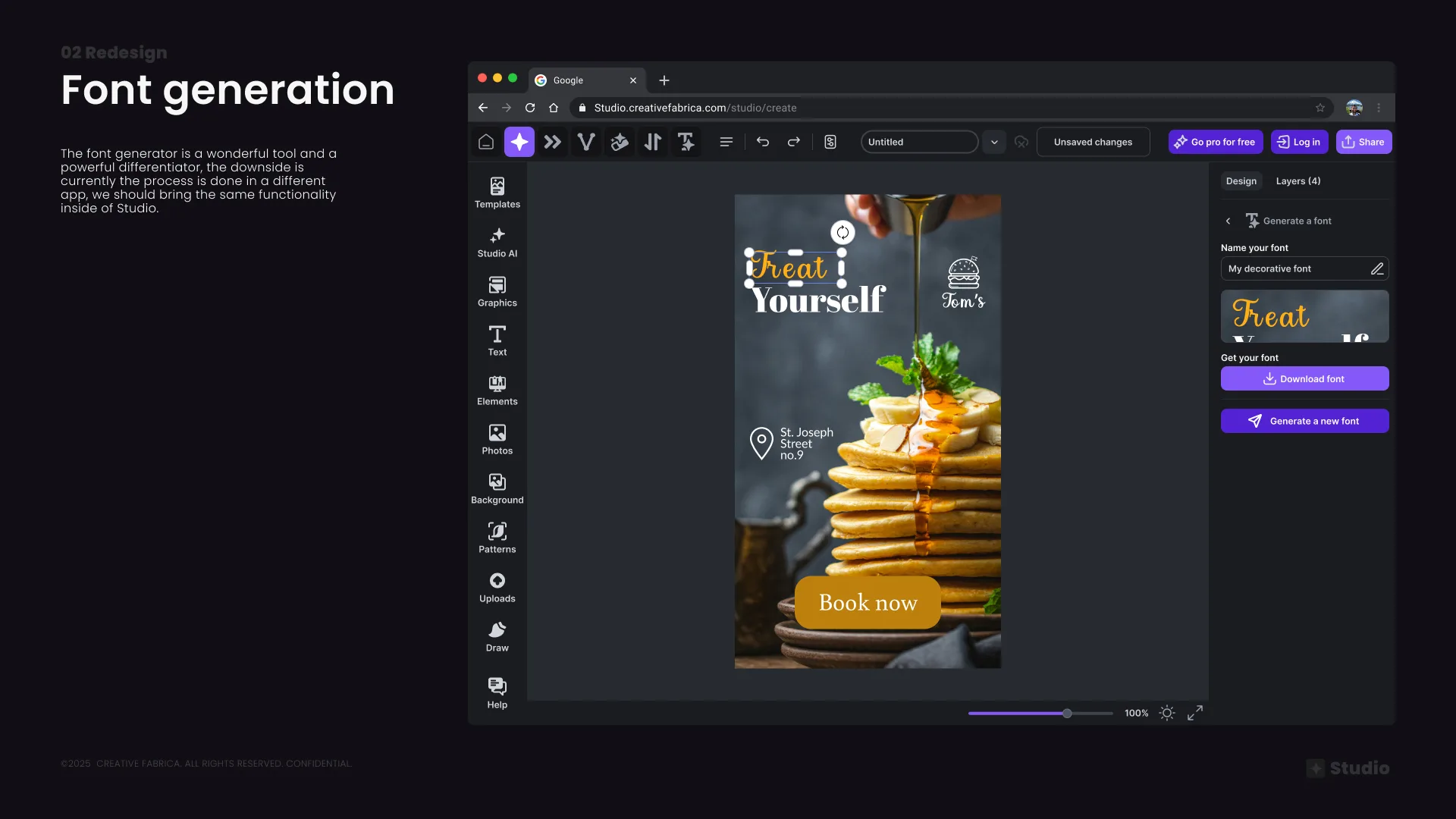
Font generation result — name, preview, and download or regenerate options. The font is owned by the user commercially, forever.
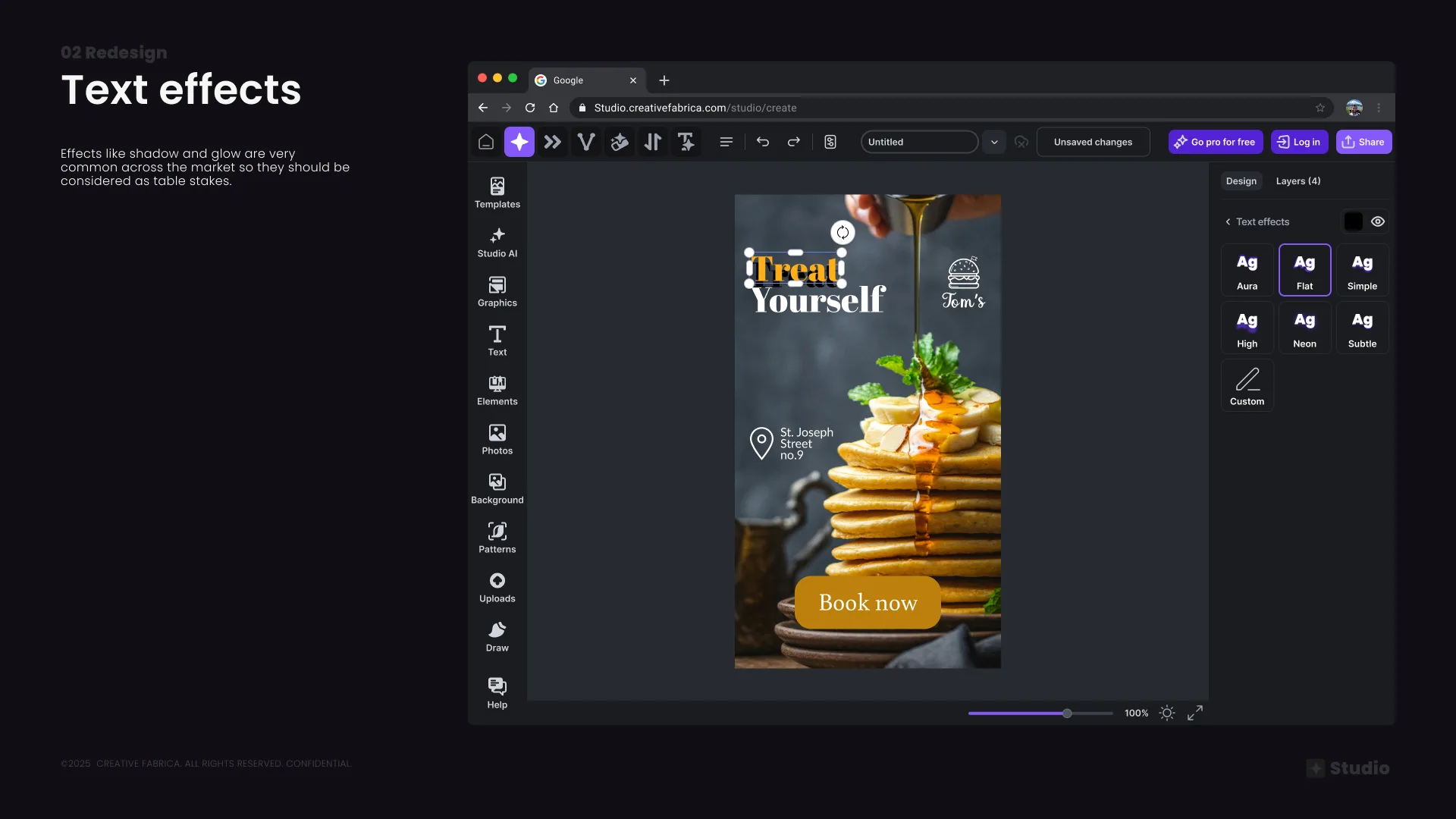
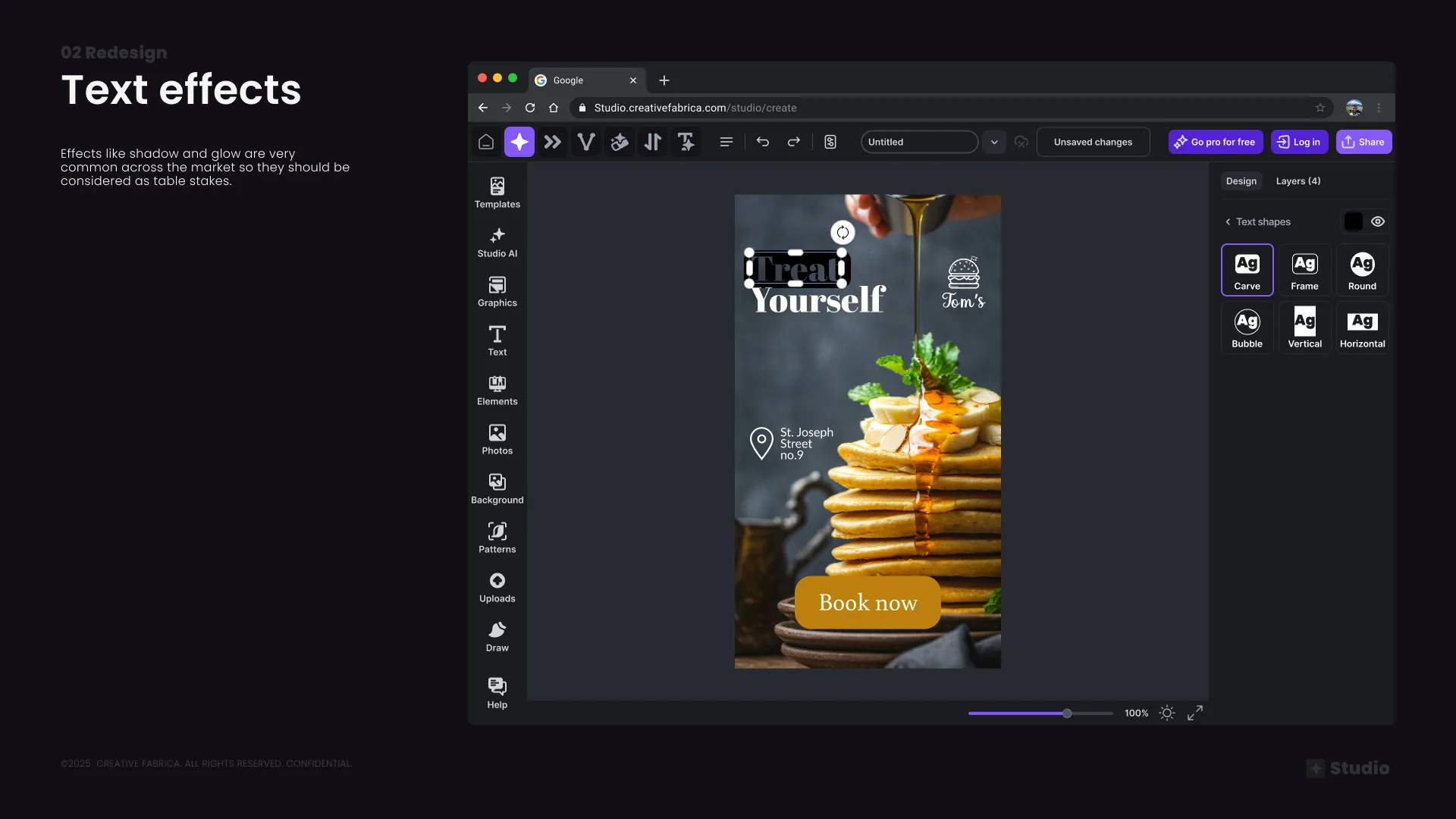
Text effects — shadow, glow, and shape effects surfaced as a Creative section with three clear categories: Curved, Effects, Shape
Text shadow presets — Aura, Flat, Simple, High, Neon, Subtle, Custom; Text shape presets — Carve, Frame, Round, Bubble, Vertical, Horizontal
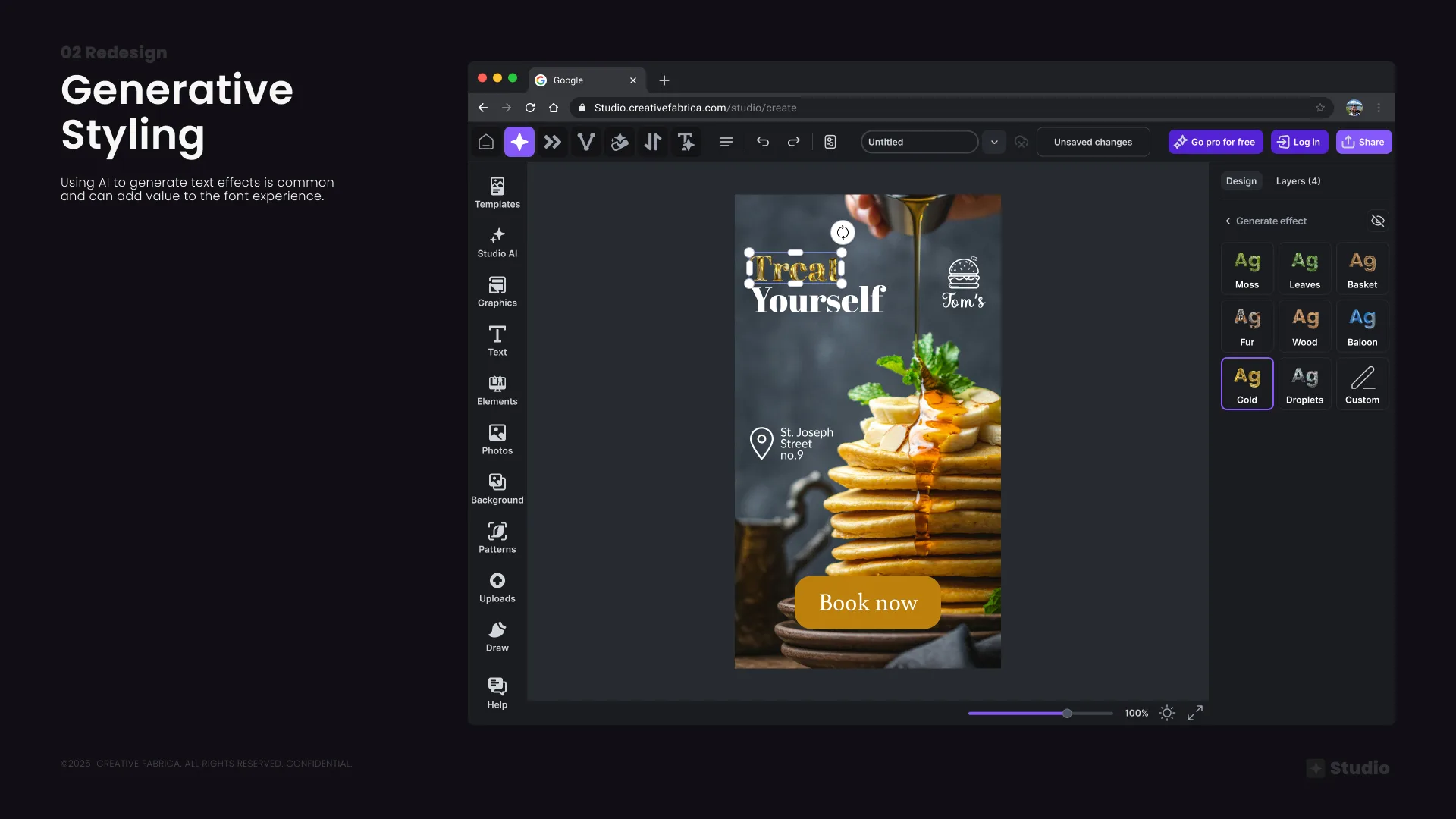
Generative text styling — AI-generated material effects (Moss, Leaves, Basket, Fur, Wood, Balloon, Gold, Droplets) adding creative value to the font experience
03
Testing and launching
Phasing out the release and measuring impact with users
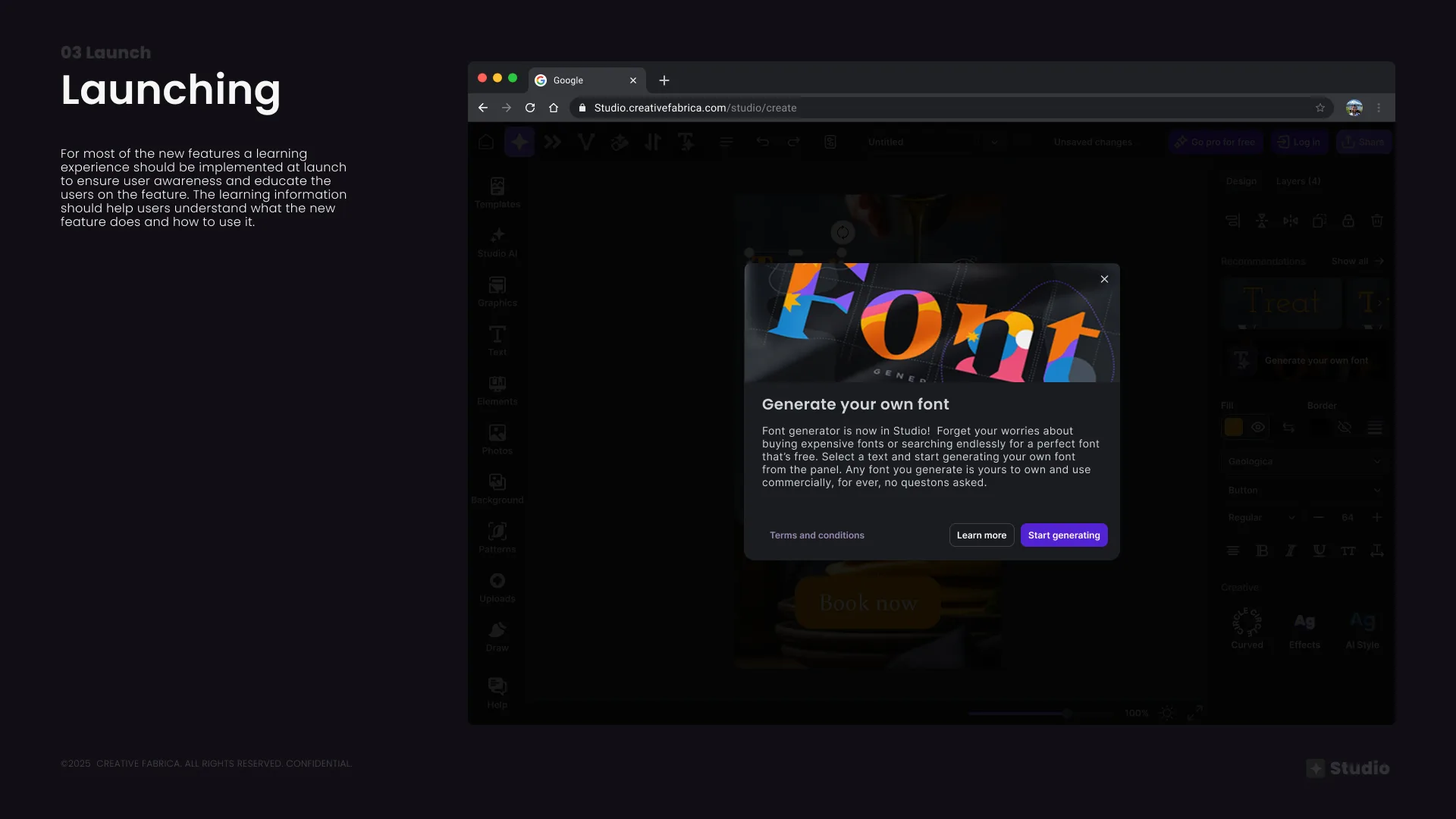
Launch strategy — contextual onboarding modals at feature entry points to educate users and drive awareness without being intrusive
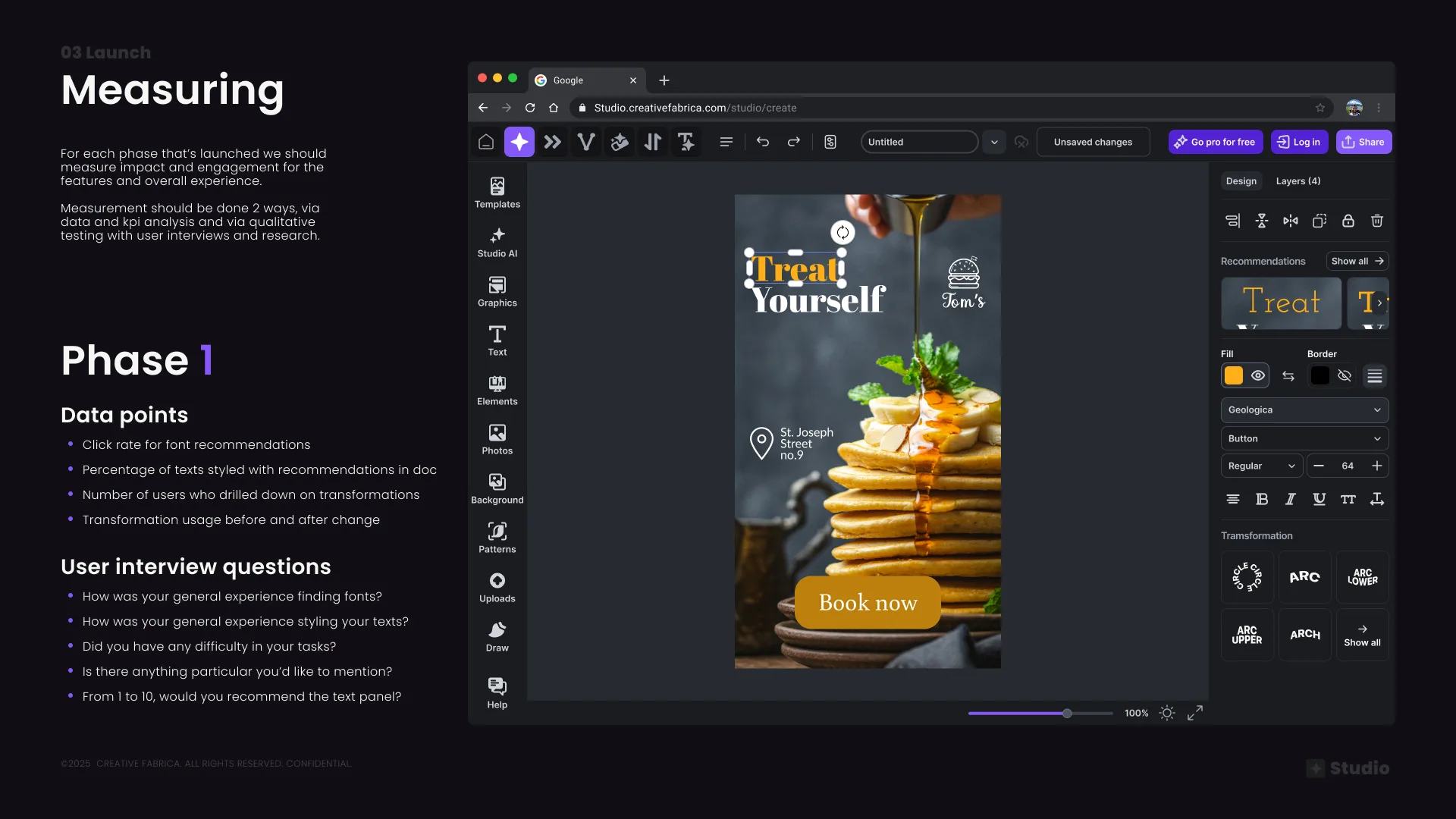
Measuring impact — Phase 1 KPIs defined: font recommendation click rate, texts styled with recommendations, transformation usage before/after; validated with follow-up user interviews